Eventually, there will come a time when you can’t go back on your home theater renovation. It’s the day that you put up the drywall. Any changes you want to make before that day will be simple. That could be a speaker location, an outlet, or even a riser. Once the drywall is in place, making changes will be more costly.
So, if you want to keep your home theater renovation cost low, make sure you know what you want to change before the drywall goes up. In this article, you will learn the actual costs involved and the decisions to lock in early. You’ll also see where extra spending can provide a good return and what changes can be postponed.
How Much Does a Home Theater Renovation Cost in 2026?

If you’re planning a professionally installed home theater, budget estimates range from $10,000 to $60,000. Basic setups can cost less, while high-end custom theaters can cost much more. Your total depends on the room’s current condition, construction needs, equipment, and installation complexity. Treat these figures as starting points, not a quote for your specific project.
There are many things that can affect your home theater renovation cost. The extent of the room you want to convert plays a significant role. So, if you are simply upgrading an existing media room, this will typically be the least expensive option. You’ll be able to use your existing room and just focus on upgrading your screen, audio, and seating.
On the other hand, converting a bedroom or extra room to your home theater will require more work. You will need to add outlets, speaker wire, and some soundproofing. Depending on the shape of your room, you may need to make modifications to fit your desired screen size.
Building a home theater from scratch will be your most expensive option. Since you’re building the room around your screen, you’ll need to consider things like soundproofing, built-in speakers, and electrical work. You may also want to add a second row of seating, which requires building a platform. If you’re building your home theater in your basement, there are additional costs we’ll discuss later.
Why Do Similar Rooms Get Different Quotes?
There are many reasons why you could receive two different quotes for the same size room. If the studs are accessible, it will take less time to install your wiring. You may need to cut into drywall and fish wire through walls. This takes longer if you have plaster or concrete walls.
As you add more to your design, your price will increase. Every Dolby Atmos speaker you want installed in your ceiling will require a wire and a hole cut. If you want to add a 2nd row, you will need a riser and more outlets, which can increase your price.
Additionally, your equipment choices shape the overall price. Once you choose your equipment, your total still depends on the room and installation complexity. Local labor rates and building and electrical requirements also play a part. On top of that, larger rooms may need different equipment or extra components.
Where Does the Money Go in a Home Theater Renovation?
There are seven levels to your remodel budget. However, only three will be seen after the job is completed. Below is a table detailing what each level includes, along with average costs and the ease of making changes.
These figures are national ranges, not a quote. Equipment ranges cover the product only, not installation. Your total will change with your area, the condition of your space, your equipment, and labor.
| Budget layer | What it covers | Typical range | Visible when finished? | Easy to change later? |
| Room construction | Framing, drywall, doors, flooring | Varies widely by scope. Get an itemized quote | Partly | No |
| Wiring and power | Speaker runs, HDMI, outlets | Wiring: $1,000 to $2,500. Outlets: $100 to $450 each | No | No |
| Sound control | Isolation and acoustic treatment | Basic room soundproofing: $500 to $5,200. Full theater isolation can cost more | Treatment only | Isolation, no |
| Display | Projector or TV, plus screen | Projectors at Dreamedia: about $1,500 to $36,000. Screens: about $1,000 to $9,700 | Yes | Yes |
| Audio | Speakers, subwoofers, receiver | Receivers at Dreamedia: about $800 to $4,800. Speaker prices vary by model | Yes | In-wall speakers, no |
| Comfort | Seating, lighting, control | Theater seating rows at Dreamedia: $2,199.99 to $27,599.99. Lighting and control vary | Yes | Partly |
| Labor and permits | Installer, electrician, permits | Quoted per project. Permit fees vary by city | No | Not applicable |
Notice the last two columns. What you can’t see is usually what you can’t modify. This will play a big role in the information to come.
Room Construction and Finishing
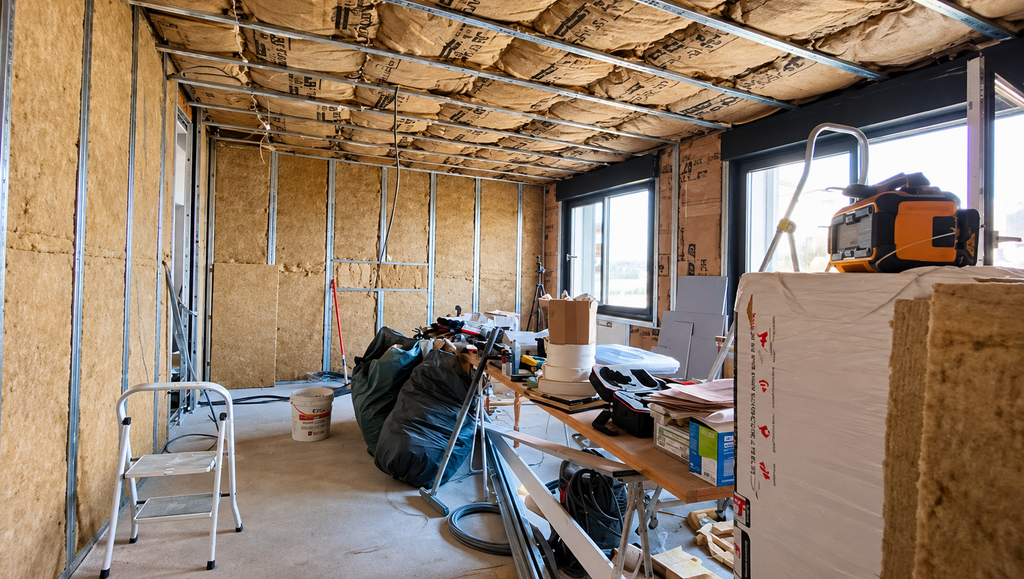
Construction covers the shell of the room. This process involves framing, insulation, drywall, the door, flooring, and the soffits to cover the ductwork. If your family room is already finished, you may only need to patch and paint. However, if it is not finished, this could be your highest cost.
When it comes to finishes, your home theater should have some of the best materials in your house. Having white walls and shiny trim will reflect your projector’s light. This extra light will raise your black levels, which makes dark scenes look grey. Many people choose to go with darker colors and less reflective materials when building their home theater.
The door is another important consideration. A solid-core door with good perimeter seals can improve sound isolation. However, results depend on how well you seal the door, frame, threshold, walls, and other openings.
Power, Wiring, and Ventilation
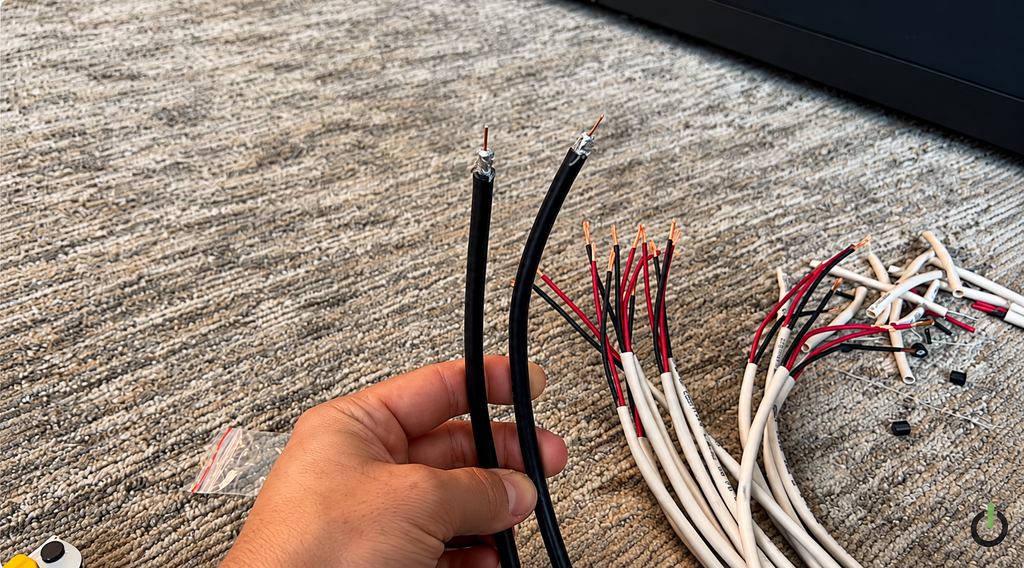
There will be many wiring needs for your home theater. Many of these components will be hidden once drywall goes up. This includes electrical outlets for your home theater and additional outlets for powered recliners. You will also need to run wiring for speakers, HDMI connections, and network cable. It is a good idea to leave conduit open for future use. Home theater wiring typically costs $1,000 to $2,500, depending on cable routes, speaker count, and wall access. Each new outlet can cost about $100 to $450.
You will need airflow for your equipment, especially if you enclose your components. In a closed cabinet, you’ll hear those fans during quiet scenes. Our Home Theater Series has a vented rack with DC fans to help keep your gear cool. Depending on your electrical setup and equipment needs, surge protection, a UPS, or power conditioning may also help. Choose protection based on the risks you actually face, since no single device covers every situation.
Just like your equipment, people will produce heat. If you have a room filled with people in an enclosed space, it can become hot quickly. Also, if a supply vent is poorly positioned, it may blow air directly, which can affect your theater experience. It’s important to plan supply and return paths during the rough-in phase. Moving ductwork is much easier at this stage.
Sound Isolation vs. Acoustic Treatment
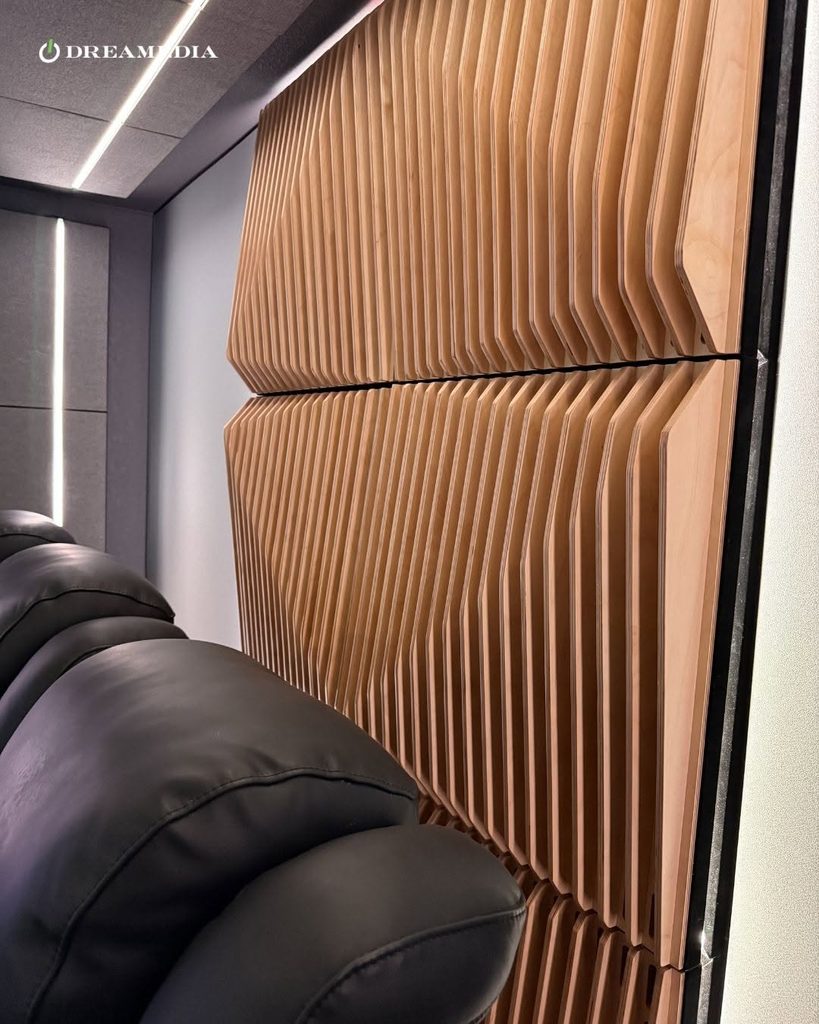
Sound isolation and acoustic treatments are two very different issues. Mixing them up can lead to significant budget mistakes.
| Sound isolation | Acoustic treatment | |
| Main goal | Keeps sound in and outside noise out | Makes the room sound clear inside |
| How it works | Added mass, sealing, decoupling, door seals | Absorption, bass traps, diffusion |
| When it goes in | Before the walls close | Before or after, then refined after measurement |
| Typical cost range | Basic room soundproofing: $500 to $5,200. Full isolation can cost more | Varies by room size and treatment. CineLuxe can help plan it for your room |
| Who needs it | Rooms near bedrooms or shared walls | Nearly every theater |
As with most things, there will be price variations depending on the size of your room and what you decide to do.
For example, you cannot prevent bass sounds from traveling to the bedroom upstairs with decorative panels. Similarly, adding more mass to your walls will not help you hear dialogue better in your room. It is essential to identify the specific issue you are facing and address it with the appropriate form of acoustic treatment or isolation. CineLuxe can help build acoustic treatment into your room’s design. If you also need sound isolation, specify it separately. Then coordinate it with the wall, ceiling, door, and HVAC design.
Display and Audio Equipment
When planning your budget, it’s important to consider both display and audio equipment as they complement each other. We offer many types of projector screens. A fixed-frame screen is a popular choice for a dedicated theater with controlled lighting. In rooms with more light, an ALR (ambient light rejecting) screen may improve the picture. However, choose one designed for your projector type and room conditions.
An ultra short throw projector can work well when you want a large image without a ceiling mount. It still needs careful placement, alignment, and a suitable screen or projection surface.
Speakers will be your next expense. If you want a great sound, you should have at least three front speakers that will provide the majority of your sound. The center speaker will be used for most of the dialogue. If you want to incorporate Atmos, you will need to plan for overhead speakers before closing off your ceiling.
Additionally, you’ll want to include subwoofers and a receiver. The receiver can decode your audio signals and feed them to your speakers. You may also want to consider a separate processor and power amplifiers. It depends on your speaker load, desired listening levels, channel count, and receiver capabilities. We have an article that explains more on how to pick out a home theater system.
Lighting and Controls
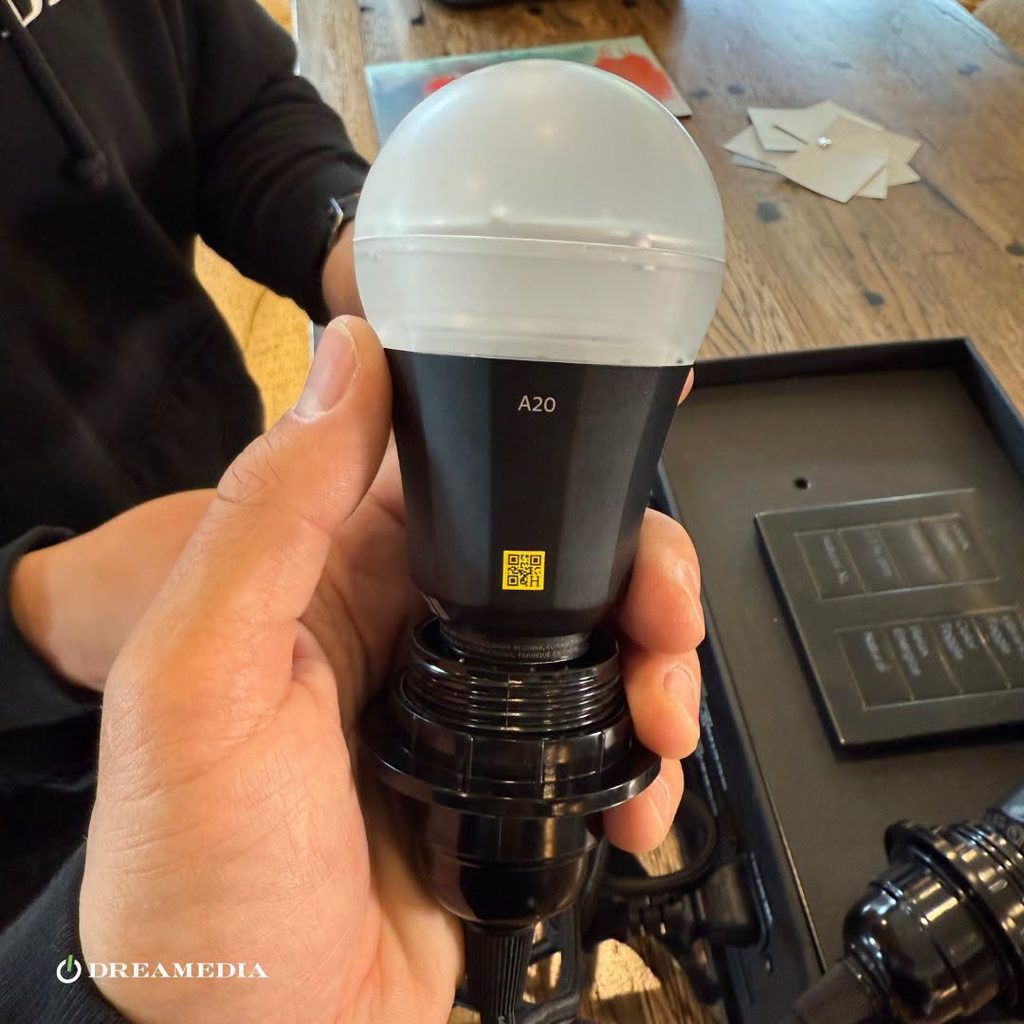
The lighting in your theater needs to be functional first before it looks nice. The lighting should allow you to dim the lights so that the screen is visible while still being able to navigate around your space. Lighting costs depend on how elaborate you want to get.
Dimmers and step lights are a great start. Also, consider shades to help block out any sunlight. Companies such as Lutron offer many products to help with dimming your lights and shades. You can add some decorative lighting later, especially if you plan the power, control wiring, and mounting during construction. However, more integrated features, such as a star ceiling, can be harder to retrofit.
Having a control system will allow you to operate your home theater with ease. It can be one remote that controls everything. Or it can be a full system that dims your lights and starts your movie at the push of a button.
Labor, Permits & Design
Labor costs vary with the work involved and your location. Ask each installer for an itemized quote that lists hours and rates.
If you are altering any wiring or structure, you may need permits. Permit and inspection fees depend on your location and the work involved. Before construction starts, check with your local building department. Ask whether you need electrical, structural, or other permits, and what they cost.
Something that most people overlook when planning their home theater is design. Neglecting this can lead to complications later on. To help you plan your space, we offer a free home theater consultation.
Why Do the Parts You Never See Cost the Most to Get Wrong?
The most expensive mistakes are the ones you can’t see. Once your home theater is finished, fixing these issues can take a significant amount of time. For example, speaker wire can be easily routed through your studs, but once drywall is installed, it becomes very challenging.
The same thing goes for circuits and ductwork. It’s easy to move them when you’re framing, but once everything is painted, modifications will take much longer.
We come across this scenario often. People have had to rebuild their riser, reframe a baffle wall, and replace a screen. All of which could have been avoided by making the right decisions before construction began.
What Must Be Decided Before the Drywall Goes Up?
There are many things you should know before construction begins. While not all products need to be specified beforehand, there are certain elements that should be fully resolved before the drywall is installed. Below, we go over some of those items that should be decided before drywall is installed.
| Decision | What it locks in | What happens if it’s missed |
| Screen wall and size | Speaker positions and projector distance | Speakers and screen fight for the same space |
| Seat count and rows | Room layout and riser need | Crowded rows or blocked views |
| Seat size, upright and reclined | Row spacing and wall clearance | Recliners hit the back wall or the next row |
| Riser | Sightlines and floor framing | The riser gets rebuilt later |
| Speaker and subwoofer locations | Wire runs and ceiling cutouts | New holes in finished walls |
| Projector position and cable path | Mount blocking and HDMI route | Exposed cables or a remount |
| Circuits and seat outlets | Electrical capacity | Extension cords under the rug |
| Lighting zones | Switch and dimmer locations | Lights you can’t control from your seat |
| Rack location and ventilation | Cable routes and airflow | Hot, noisy, or hard-to-reach gear |
| Isolation target | Wall and ceiling build | Sound leaks with no cheap fix |
If you would like to experiment with your options before making any decision, we offer a home theater design tool that can assist you.
In What Order Should the Money Be Spent?
Plan your project in construction order, but finalize the key specifications early. Coordinate your room layout, seating, screen size, and speaker locations before construction begins. Do the same for projector placement, wiring, HVAC, and isolation needs. Then finish the room and install the equipment once it’s ready.
- Design and Layout: This step allows you to know where your screen, seating, and speakers will go.
- Build out the room: Includes the walls, ceiling, and door.
- Electrical, Wiring, and A/C
- Build your riser. Make sure you buy the right seating for your needs.
- Flooring and Finishing.
- Install your equipment and calibrate your system.
- Additional upgrades: More channels, lighting, or automation.
Dreamedia+ can help coordinate the design and planning process, including room layouts and blueprints. As a result, your construction team has a clearer plan to follow.
Where Should You Spend More?
Now that you have the basics covered. Any extra money should be invested in parts that last longer. These items will last you longer and provide value to every seat in your room.
The Screen and Front Speakers
Prioritize your budget for the screen. Why? This is because projector technology changes faster than screen technology. A well-chosen screen may last through several projector upgrades. Pick one that fits your current room and viewing needs. Also consider the types of projectors you might use later.
The front three speakers should receive equal consideration. When your center channel can’t keep up, dialogue can become unclear during quiet moments. You may find yourself constantly adjusting the remote, which can quickly become tedious. We have a couple of center channel speakers worth considering for that very reason.
If you want to take your audio experience to the next level, consider upgrading to in-wall front speakers. Once painted, replacing them down the road requires cutting a fresh opening. Spend the money upfront and save yourself in the future.
Bass and Acoustics
Room bass is where your room and components clash most violently. Low frequencies will bounce between parallel walls, which results in uneven sound distribution. Some seats may experience heavy bass, while others sound thin.
That’s why two subwoofers can help. When you place and calibrate them properly, they can produce more consistent bass across multiple seats. Results still depend on the room and system. You can find a list of SVS subwoofer models that work well with this setup in our article.
Properly chosen and placed acoustic treatment can help control reflections and reverberation. As a result, dialogue and effects become clearer and easier to pick out. If you are faced with the choice between another piece of gear or room treatment, we generally advise investing in the room treatment first.
Seating That Fits the Room
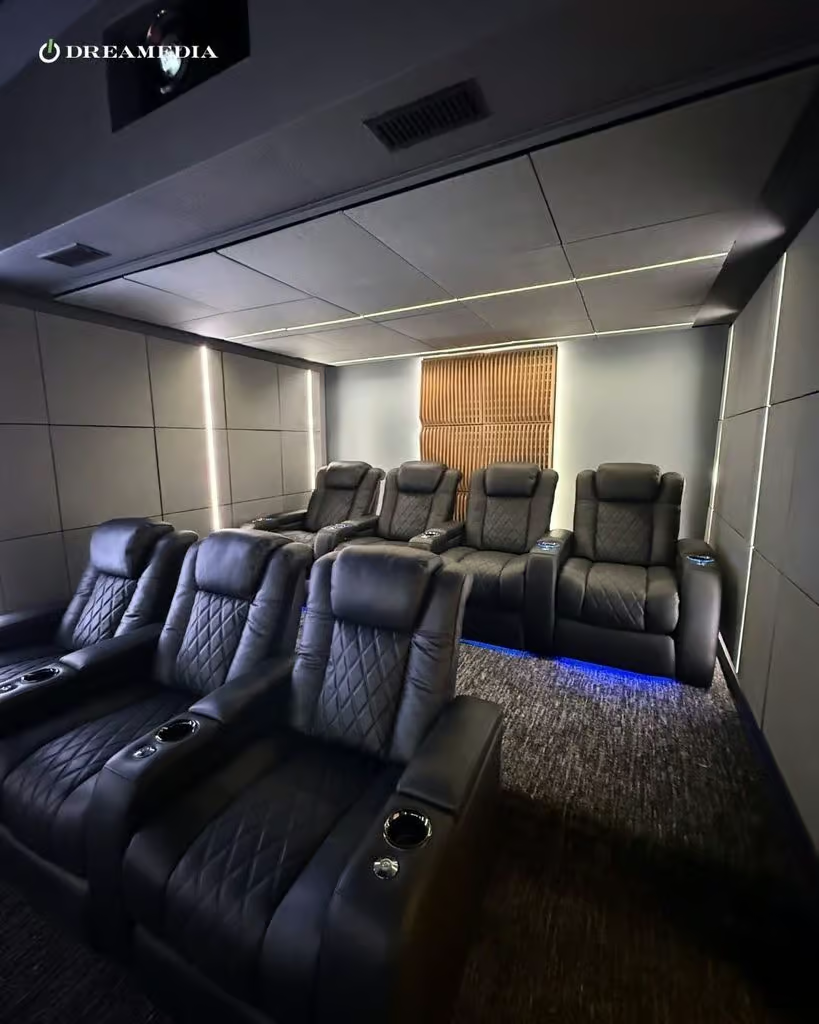
Seats determine more of your theater renovation than you might think. Seat depth and recline clearance determine row spacing, aisle width, outlet locations, and riser heights. It should be part of the plan before construction begins, not after the dust settles.
Valencia seats are available in several seat configurations. There are XL seats for taller individuals and riser-ready versions. Pricing will depend on configuration, upholstery choice, and feature options. Always verify the manufacturer’s dimensions for the specific configuration you order. For an in-depth look at one version of this seat, read our Valencia Tuscany theater seat review.
Where Can You Safely Save?
First, prioritize the infrastructure that would be disruptive to add later. Plan circuits, outlets, conduit, cable routes, ventilation, and mounting around your intended system. Also allow for realistic future upgrades. Then add optional equipment and decorative features in phases where it makes sense. The table below lists common savings options in order of how safe it is to wait on them.
| Save now | Add later | Don’t cut |
| Projector tier | Extra Atmos channels | Conduit and circuits |
| Finish level, such as carpet and trim | Star ceiling and accent lighting | HVAC noise control and ventilation |
| Surround speaker tier | Full automation | Seat and recline clearances |
| Decor | More acoustic panels after measurement | Calibration |
Buy The Projector For Today, Wire For Tomorrow
Projector technology advances quicker than screens or speakers. Each new generation offers improvements in brightness, contrast, and video processing. That progression makes the projector the logical piece of gear to buy conservatively now and upgrade later.
The key is setting yourself up for that upgrade cycle in advance. You can do this by installing sturdy blocking for the projector mount, a dedicated outlet, and a conduit path for future wiring. When it’s time for a better model, you will be able to swap out projectors and not need to hire contractors again.
Add Channels, Lighting, and Automation in Phases
You don’t need to buy or install every speaker at once. Start with a system that fits your budget. However, consider prewiring the extra surround and height channels you plan to add later.
Lighting and control work similarly. Have the power supply set up for accent lights or a star ceiling during construction, then install the lights when your budget allows. Start with a universal remote to control the room. The whole control system can be added later without needing to open up any walls again.
Do It Yourself Where It Makes Sense
DIY really shines at tasks that you can easily undo or change. Decorative elements and managing visible cables fall into this category. We have some cable management tips that can help you there.
Permanent installation is different. Once the walls close up, wall cutting, electrical changes, and projector installation become hard or expensive to redo. Mistakes with concealed wiring, electrical work, or permanent mounting can lead to expensive repairs. Electrical work may also need a licensed electrician and a permit. So hire qualified professionals for work that needs licensed trades or specialist installation. Take on cosmetic finishing only when you feel comfortable doing it safely.
What Makes a Basement Home Theater Cost More?
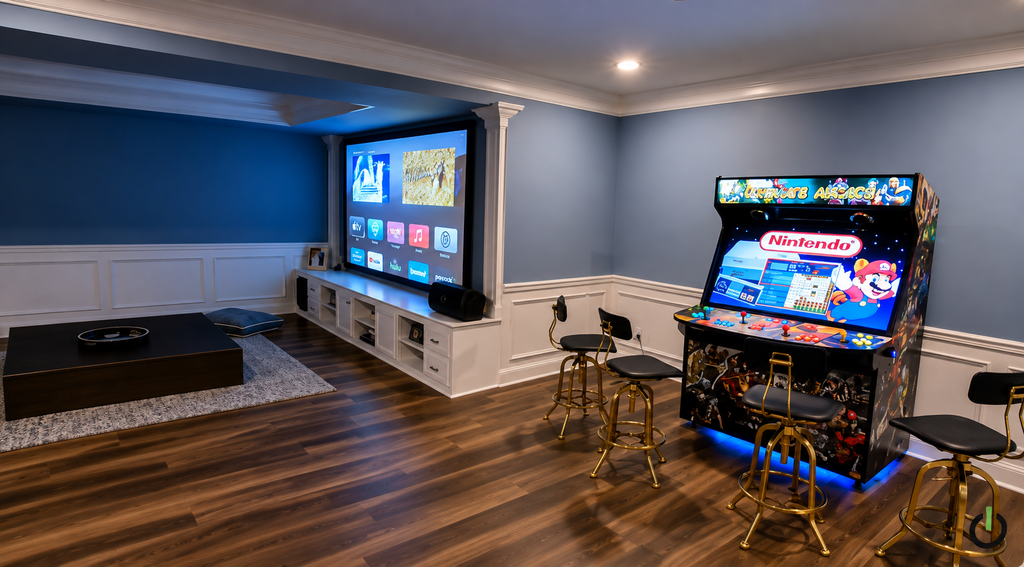
Basements carry a higher price tag due to the necessary groundwork and construction required before any theater setup can commence. JLC’s 2025 Cost vs. Value report puts the national average job cost for its benchmark basement remodel at $52,012. That project recoups about 71% of its cost at resale. Keep in mind this is a basement remodeling benchmark, not a home theater quote. Actual costs vary by region and project scope.
Moisture comes first. Eliminate it before installing drywall and carpet, or it can damage both and put your equipment at risk. Insulation is a close second, because basement temperatures can make the room feel significantly colder than above ground.
Physical restrictions are next. Low ceilings, ductwork, and support beams limit screen size, projector location, and riser height. Finished basements also must meet code requirements such as proper egress.
Basements do have one advantage. Because parts of the walls sit below grade, a basement may contain some sound. However, sound can still travel through ceilings, doors, ductwork, and connected structures. So assess the room as a complete assembly.
How Do You Read a Home Theater Renovation Quote?
When reviewing a home theater renovation quote, compare it to the scope of your project and national averages. An itemized quote lists every budget category separately so omissions stand out.
Below are clues to help you identify those omissions before you sign the quote.
| What you notice in the quote | What it may point to | What to ask |
| One lump sum for everything | Vague scope or missing items | Can you itemize this by layer? |
| No line for calibration or programming | The system may run on factory settings | Is tuning to the room included? |
| No mention of permits | Unpermitted electrical or framing work | Who pulls the permits? |
| Labor with no hours listed | Hard to compare against other quotes | How many hours, and at what rate? |
| Very low wiring cost | Visible cables or skipped conduit | Where will the wire run? |
Also budget for contingencies. An older room or unfinished basement has more unknowns than a room that’s already finished. Ask your contractor what unknown issues could change the price.
Can a Package Lower the Equipment Cost?
Budgeting for equipment is easier with a packaged bundle. An equipment package simplifies product selection by grouping compatible components into a starting system. It also saves you weeks of researching projectors, screens, and speakers individually. However, you should still tailor the final selection to your room, listening goals, and installation needs.
We have five packages designed around a projector, screen, and Dolby Atmos speaker system. These packages range from budget-friendly options for your first dedicated room to high-performance equipment for large spaces. Additionally, all of our packages are customizable to your room. You can start designing yours over at Build Your System.
Conclusion
The choices you make on drywall day will affect your total home theater renovation cost more than any brand-name decision. Alterations before the walls go up are quick and cheap. However, once they are closed, any change requires you to cut into a finished wall, which can be expensive.
That’s why the beginning of your project matters most, even if guests will never see your work. Finalize your room layout and seating prior to hanging the drywall. Run every wire, circuit, and ventilation duct during this stage. Also, if your room requires sound isolation, be sure to build that before the walls go up.
Once the foundations are in place, you can spend your remaining budget on items that won’t need upgrading. The screen, front speakers, room acoustics, and seating tailored to your room should be prioritized. Features like the projector, additional channels, and accent lighting can be installed in phases later.
When you decide you’re ready, we’ll be happy to help you plan it out before your walls go up.
FAQs
Does a Home Theater Add Value to Your Home?
Remodeling data can give you context, but it can’t predict the resale value of a specific home theater. JLC’s 2025 Cost vs. Value report estimates its benchmark basement remodel recoups about 71% of its cost at resale. A dedicated theater’s value to a future buyer depends on the home, local market, and buyer preferences.
How Long Does a Home Theater Renovation Take?
Installation time depends heavily on the construction work and how much of the room you’re changing. Equipment installation goes much faster.
Do You Need a Dedicated Circuit for a Home Theater?
It depends on your equipment load and whether you want powered seating. Amplifiers can draw hefty currents, as can projectors and electric recliners. Run the numbers with your electrician before closing up your walls.
Is a Projector or a Large TV Cheaper for a Home Theater Renovation?
Projectors cost more upfront, since you need a screen, mount, cable path, and better light control. However, that can be offset by the significantly larger picture size that projectors can provide compared to most TVs.