Picture quality is everything in a serious home theater. You can invest in a premium projector, a carefully chosen screen, and a well-tuned sound system, yet still feel like the image is not reaching its full potential. Often, the issue is not resolution at all. It is how the image is processed before it ever reaches your screen.
Modern HDR films are mastered at brightness levels between 1,000 and 10,000 nits, while most projectors produce closer to 50 to 150. That difference forces your system to compress light and detail into a much smaller range.
If that compression is handled poorly, bright highlights lose texture, shadows lose depth, and HDR can look flat instead of dramatic. The madVR Envy Core is built to solve that gap. In this review, we will explore what it actually improves, how it performs in real theaters, and which model makes sense for your system.
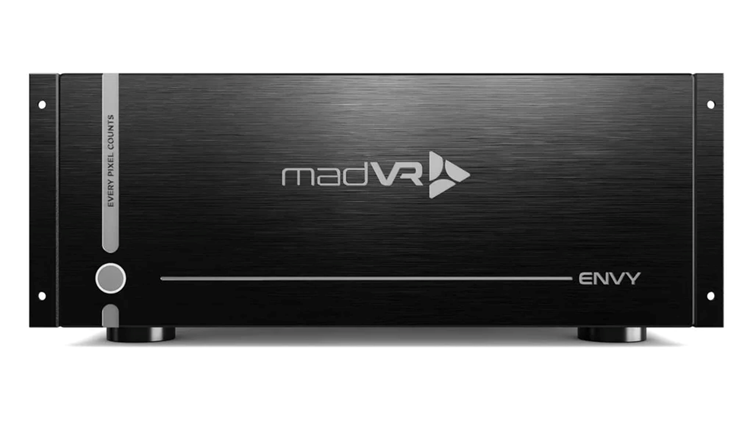
Why Dedicated Video Processing Still Matters in 2026
HDR Tone Mapping Reality
In the introduction, we talked about the gap between 1,000 to 10,000 nit mastering and the 50 to 150 nits most projectors can actually produce. The real issue is not just the difference in brightness. It is how that difference is handled. Many displays still rely on a single static curve, which treats a bright daylight scene and a dark basement scene exactly the same. That is where dynamic HDR tone mapping makes the difference.
Instead of guessing once for the entire film, it adjusts scene by scene. The madVR Envy Core uses this approach to preserve highlight texture, recover shadow depth, and maintain contrast where it matters most.
Upscaling and Streaming Artifacts
Not everything you watch is native 4K. A 1080p Blu-ray on a 4K projector needs clean upscaling. Without strong AI upscaling, fine textures look soft and edges can appear harsh or noisy. Streaming adds another layer of challenge. Compression introduces banding in skies and noise in dark scenes. Most sources also output 4:2:0 color, which requires accurate chroma processing to avoid color bleed and softness. Weak processing exposes these flaws. Strong processing corrects them quietly, so the image simply looks natural.
Aspect Ratio Chaos
Then there’s aspect ratio switching. IMAX scenes expand, while scope films shrink. Subtitles drop into black bars. It breaks immersion. The madVR Envy Core is engineered to solve these problems at the source, not just work around them.
Core Performance Deep Dive
Dynamic HDR Tone Mapping (DTM 2.0)
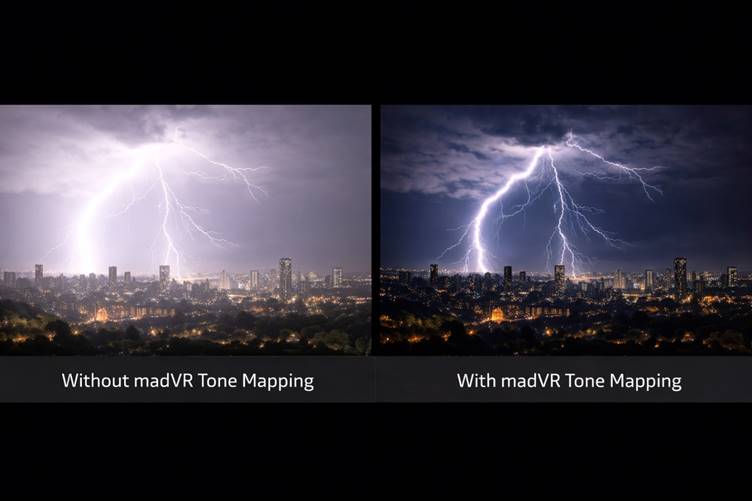
This is the reason most people buy the madVR Envy Core. Dynamic HDR Tone Mapping is not just a brightness adjustment. It is real-time video processing that evaluates every frame and reshapes it to match your projector’s actual light output. You enter your display’s peak brightness, and this home theater video processor builds its mapping around that limit.
Instead of relying on one static curve for an entire film, frame-by-frame HDR processing adjusts scene by scene. Bright explosions retain texture instead of flattening into white patches. Reflections on metal stay detailed. In darker scenes, Shadow Detail Recovery preserves depth while Contrast Recovery protects highlights. On serious projection systems, especially paired with premium home theater projectors, this is where the improvement feels dramatic. It restores balance that most built-in display processing simply cannot maintain.
Instant Aspect Ratio Management
Modern content rarely stays in one format. IMAX scenes expand vertically. Scope films sit at 2.40:1. Streaming menus jump back to 16:9. If you rely on projector lens memory, you wait for adjustments or deal with alignment drift over time.
The madVR Envy Core MK2 handles aspect ratio management automatically. It detects black bars instantly and applies intelligent scaling without delay. This is especially valuable in Constant Image Width systems, where screen geometry must remain precise. Even overlays from 4K Blu-ray players or streaming apps are recognized and resized properly. Instead of interruptions, the presentation remains seamless.
Non-Linear Stretch (NLS+)
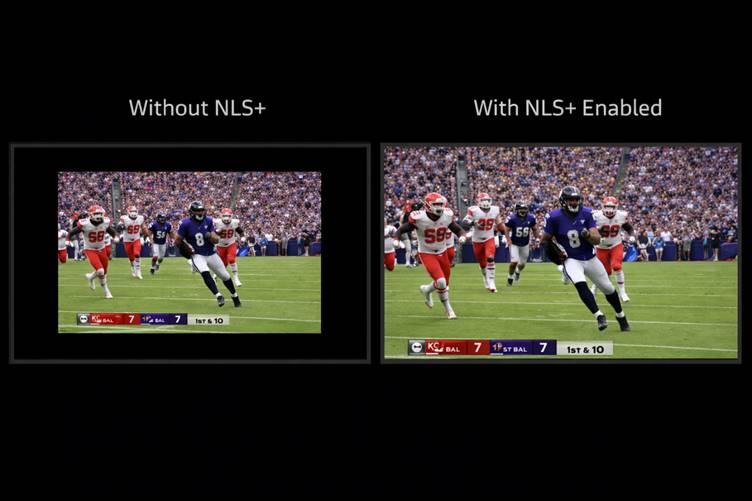
If you own a 2.40:1 screen, you know the frustration of watching 16:9 sports with black pillars on both sides. Traditional stretch modes distort faces and stretch players unnaturally. Non-linear stretch (NLS+) handles expansion differently.
It blends horizontal expansion with subtle vertical compression. The center remains natural while the edges stretch gradually. During live sports from streaming media players or cable broadcasts, the field fills the screen and players remain proportionate. It avoids the rubber-band distortion that basic scaling modes introduce. For scope owners building a premium dedicated home theater room, this feature becomes something you use weekly.
Subtitle Management and Dynamic Subtitle Overlay
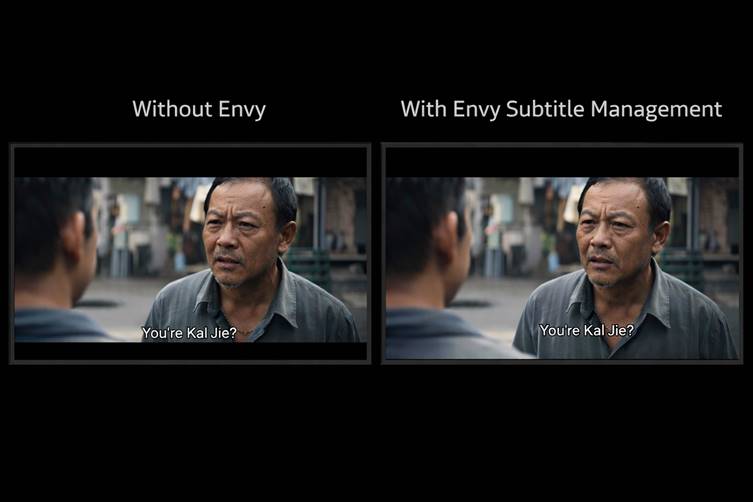
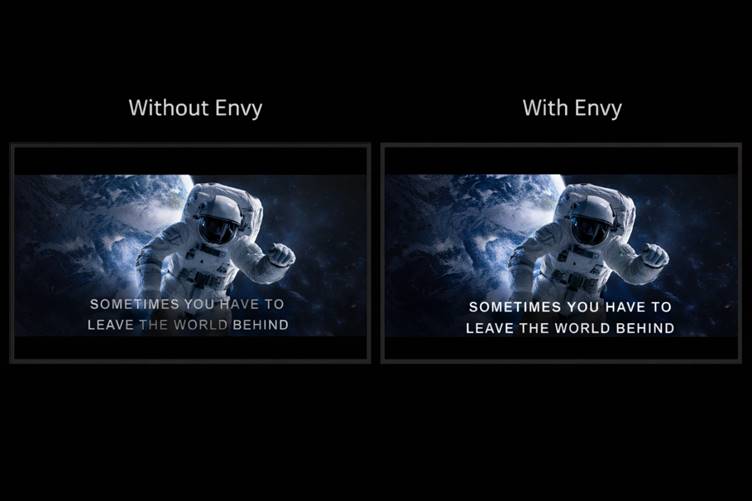
Scope screens introduce another frustration. Subtitles often sit in the lower black bar. Zoom the image to fill your 2.40:1 screen and the text may disappear. Shrink the image and you reduce immersion.
The madVR Envy Core solves this with intelligent subtitle management. It detects when subtitles fall outside the visible frame and adjusts dynamically. The image stays full width while text remains readable. You are not switching modes mid-film. You are not sacrificing impact.
For foreign films, anime, and HDR content from modern video streaming platforms, this refinement keeps the experience polished. It is a small feature on paper, but inside a serious home cinema system, it removes one of the most common immersion breakers.
madVR Envy Core Upscaling, AI Enhancement, and Chroma Processing
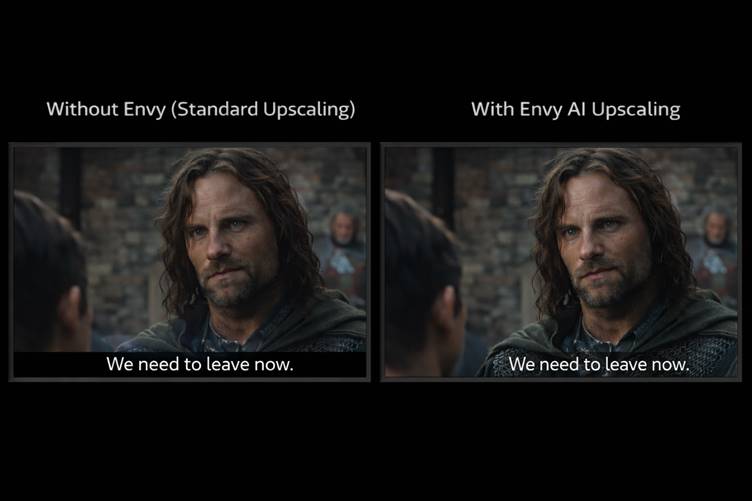
Not all content is native 4K. Blu-rays, cable feeds, and many streaming sources start at lower resolutions. On a large screen powered by high-end home theater projectors, weaknesses in scaling and compression become easy to spot. The Envy uses advanced AI upscaling to rebuild fine detail cleanly, so edges stay sharp without ringing and textures look natural instead of artificial. In a properly designed dedicated home theater room, those refinements become even more obvious.
It also handles color with more precision through improved chroma processing, reconstructing 4:2:0 signals into cleaner 4:4:4 output. Banding in skies softens. Compression noise from modern streaming media players becomes less distracting. On smaller displays, these flaws can hide. However, on a 120-inch screen within a serious projection system, they stand out. That’s where a true 4K video processor makes the difference quietly, across everything you watch.
HDMI 2.1 and Gaming Support (Envy Core MK2)
The madVR Envy Core MK2 adds full 48Gbps HDMI 2.1 support with Variable Refresh Rate, and this is one of those features that only sounds technical until you start planning a real system.
When someone uses the Build Your System feature, the conversation usually shifts quickly from “What projector should I buy?” to “Am I gaming in this room too?” If the answer is yes, the signal chain has to handle 4K at 120Hz without choking. A PlayStation 5 or gaming PC pushes serious bandwidth. The Envy Core MK2 is built for that.
The same thing shows up inside the Home Theater Design Tool. Once high-frame-rate gaming enters the picture, HDMI 2.1 stops being a spec and becomes a requirement. Earlier Envy units added enough delay to make gaming feel slightly disconnected. The Envy Core MK2 lowers that latency while keeping dynamic HDR tone mapping active.
If you are a competitive esports player, you may still run direct to a monitor. But for large projection rooms designed for both movies and modern gaming, the Envy Core MK2 finally makes it practical to keep everything in one clean signal path without sacrificing performance.
Calibration Depth & ISF Certification
Color accuracy often gets overlooked, but it should not. The madVR Envy Core is the first video processor certified by ISF for both 4K and 8K. That certification means its processing chain meets measurable standards for color accuracy, grayscale tracking, and gamma control.
In a dedicated home theater, details matter. When the room is properly treated with Acoustic Panels and supported by reliable Surge Protection & Power Conditioning, the system performs consistently and without interference. That stability allows professional calibration tools like ColorSpace and Calman to extract the full benefit of the Envy’s 256-point 3D LUT capability.
This is not cosmetic tuning. It is controlled, repeatable image correction. When calibrated correctly, skin tones look natural, gradients remain smooth, and the projector’s native gamut aligns accurately with Rec.709 or DCI-P3. The result is reference-level performance built on precision, not guesswork.
Installation, Profiles & Usability
You would expect a processor this advanced to be complicated. It isn’t. Installation is straightforward. HDMI from your AVR or processor into the Envy. HDMI out to your projector or display. Connect it to your network, power it on, and you are typically operational in five to ten minutes. The Quick Start guide walks you through the essentials, and even with factory defaults, the image improvement is immediate.
The real intelligence shows up in the Profile system. You can create separate configurations for 16:9 films, 2.40:1 scope, live sports, or streaming, and switch instantly with a single button press. You can assign different sharpening levels, tone mapping behavior, or aspect controls per input. Every change begins as Temporary, so you can experiment freely. Only when you confirm does it become your Base setting.
Dealers can remotely fine-tune the Envy over a secure connection, which is especially useful for clients enrolled in Dreamedia+. Firmware updates install in seconds and can include optional beta builds for early access to new features. The result is high-end processing without daily operational complexity.
Which Envy Core Should You Pick?
Envy Core MK1 (HDMI 2.0)
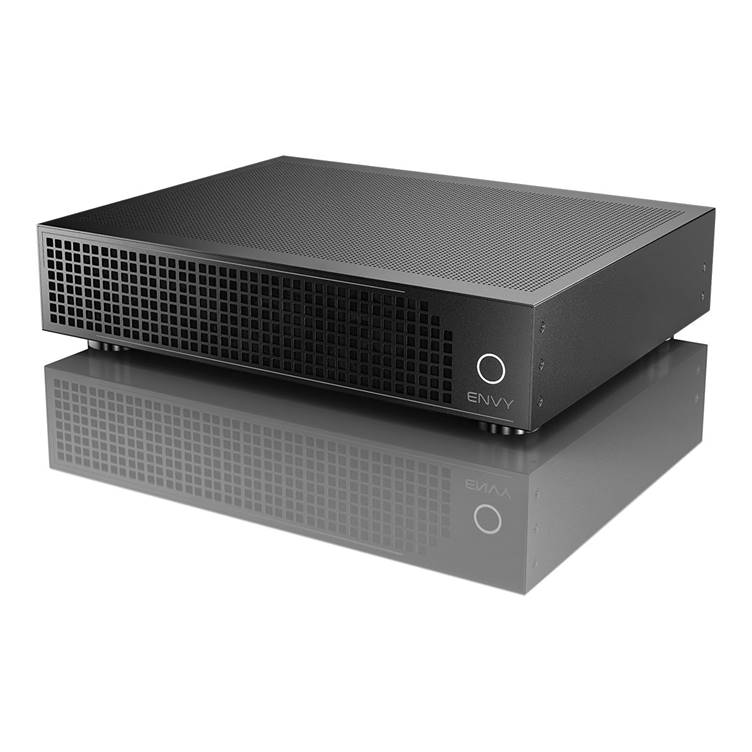
The Envy Core MK1 delivers the full madVR processing experience where it matters most: cinematic projection. You still get frame-by-frame Dynamic HDR tone mapping, AI-driven upscaling, intelligent aspect ratio control, non-linear stretch, and advanced subtitle management. On a dedicated movie system, especially for 24fps playback, the image feels controlled and dimensional. Bright highlights retain structure. Dark scenes hold shadow depth. Scaling looks refined without artificial edge enhancement.
Where the Envy Core MK1 differs is connectivity. It operates on HDMI 2.0, which means no 4K at 120Hz or Variable Refresh Rate support. For film-focused rooms built primarily around movies, streaming, and broadcast content, that limitation often has little impact.
If your system is centered on cinematic performance rather than high-frame-rate gaming, the Envy Core MK1 remains a serious video processor. For those wanting expanded bandwidth and next-generation HDMI flexibility, the Envy Core MK2 extends that foundation further.
madVR Envy Core MK2 (HDMI 2.1 | 48Gbps)
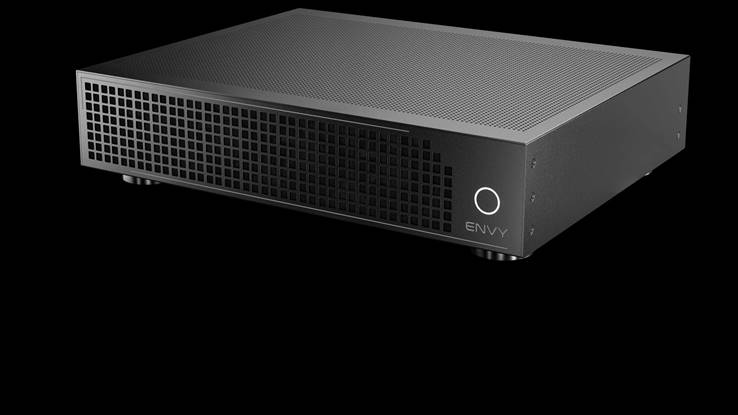
Now, let’s explore the Envy Core MK2 . Everything the Envy Core MK1 does for movies, the Envy Core MK2 does as well. The difference is connectivity and long-term flexibility. The Envy Core MK2 adds full HDMI 2.1 at 48Gbps, 4K120 support, 8K readiness, Variable Refresh Rate, Auto Low Latency Mode, and Quick Frame Transport. Latency has also been reduced compared to earlier generations, which makes gameplay feel noticeably more responsive.
If you own a PlayStation 5, Xbox Series X, or a gaming PC, listen up. You can keep the Envy in your setup and still enjoy smooth, stable gameplay. That said, if you are a competitive esports player chasing the absolute lowest latency possible, you may still bypass heavy processing. But for cinematic gaming and mixed-use systems, the Envy Core MK2 is clearly the more future-ready platform.
Envy Core MK1 vs Envy Core MK2
| Feature | Envy Core MK1 | Envy Core MK2 |
| Dynamic HDR Tone Mapping | Yes | Yes |
| AI Upscaling & Image Refinement | Yes | Yes |
| Aspect Ratio Management | Yes | Yes |
| Subtitle Management | Yes | Yes |
| HDMI Version | HDMI 2.0 | HDMI 2.1 (48Gbps) |
| 4K at 120Hz | No | Yes |
| 8K Signal Support | No | Yes |
| Variable Refresh Rate | No | Yes |
| Auto Low Latency Mode | No | Yes |
| Quick Frame Transport | No | Yes |
| Gaming Responsiveness | Standard | Improved |
Conclusion
At the end of the day, choosing the right madVR Envy comes down to how you actually use your theater. If you’re movie-first and running a dedicated projection system, the Envy Core MK1 still delivers stunning HDR and scaling performance. But if gaming, HDMI 2.1, or long-term compatibility matter, the Envy Core MK2 is the smarter move.
Still unsure? That’s what Dreamedia is here for. So, schedule a free consultation and talk to a real expert. Just honest advice tailored to your room, your gear, and your goals.oals.