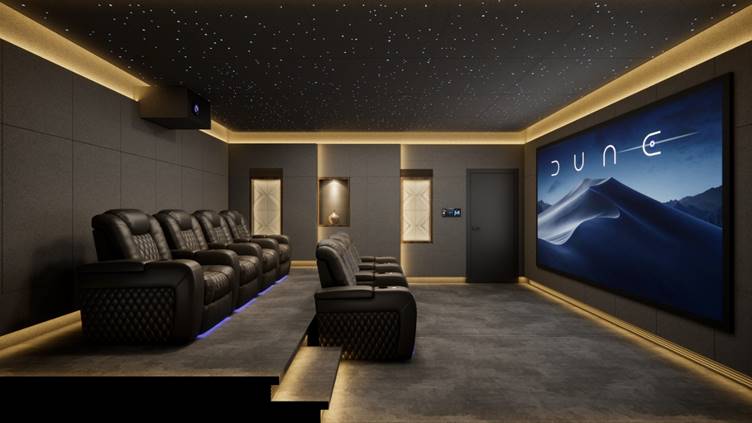


Many assume it’s the TV. Or maybe the projector or soundbar. When you walk into a professionally designed home theater, however, the first thing you notice is what you don’t see: poor cable management. You won’t see wires draped all over the place. Or a power strip overloaded with cords. Or cables sneaking out from behind your TV.
While luxury can sometimes mean bigger and more expensive, when it comes to cable management, less is more. An entry-level system can look more luxurious than high-end electronics tricked out with messy cables. The key is understanding how to hide, organize, and route your cables in a way that won’t make upgrading your system a nightmare down the road. That’s what we’re going to walk you through in this guide. We’ll start with the tricks professionals use to keep home theaters looking tidy and polished.
What Makes a Home Theater Look Truly Luxurious?
While we hinted at it above, luxury isn’t always about price points. You can spend thousands on high-end equipment and make your system look cluttered. You can also hide all your gear behind cabinets and make a cheap system look like it belongs in a custom-built theater. Cleanliness plays a huge role in this. When wires dangle from your TV, spill out from behind your cabinet, or tangle around your power strip, they draw the eye. Your room ends up looking cluttered.
That’s why you don’t usually see wires with professionally installed home theaters. The gear might be out in the open, but you won’t see wiring. Cables run where they should, there aren’t extra lengths of slack hanging about, and connections are tidy. Even high-end cables like this Planet Waves Single HD Coaxial Cable look subpar when cable routing is neglected.
How to Audit Cable Clutter Before Beginning Your Home Theater Upgrade

The first question you should ask before beginning any cable management project is: where is the mess actually coming from? Pull your media cabinet out from the wall or look behind your equipment rack. You’ll likely discover cables that are way too long, power cords crossing signal cables, and maybe some mystery cables plugged into devices you forgot you had.
| Cable Type | Typical Location | Common Problem | Priority Level |
| Power Cords | Equipment rack | Tangles and bulk | High |
| HDMI/Coaxial | TV and source devices | Excess slack | High |
| Speaker Wire | Surround speakers | Long visible runs | High |
| Ethernet | Streaming devices | Difficult routing | Medium |
| Subwoofer Connections | Room corners | Placement challenges | Medium |
Look for cable loops and crowded power strips or places where wires all come together. These areas tend to create the bulk of the clutter you see. It becomes even more vital that you plan ahead in larger home theaters using longer cables like the Planet Waves Dual HD Coaxial Box Cable. At this point, you aren’t trying to conceal everything. You are just seeing what you will need to tidy up.
Why Plan Cable Routes Before Installation?
Cable management is easiest when you plan your wiring before you start plugging things in. Think big first. Where will the television go? Where will the receiver reside? How far are your surround speakers from your equipment rack? Planning a few minutes up front can save you hours of frustration later.
Make sure to plan power access as well. Ideally, you’ll have all of your equipment close enough to outlets that you won’t be running cables across the room. Think about the future too. Are you going to add a gaming console, streaming device, or maybe some additional speakers next year?
What Are the Best Ways to Hide Home Theater Cables Without Renovating?
Hiding home theater cables is easier than you think. You don’t need to tear open walls for cables to magically disappear. In most homes, the single biggest upgrade you can make is controlling where your cables are visible. Paintable cable raceways are ideal for covering wires from a wall-mounted television so they disappear into the wall. Cable sleeves let you bundle together cables that run parallel to each other. Instead of five separate cables, you’ll see one.
Believe it or not, furniture can do a lot of the work for you. Cabinets and entertainment stands with built-in cable management let you hide away wires, power strips, adapters, and more while still giving you easy access to your electronics. The best ones have dedicated cable-routing channels and rear-access panels to make getting organized as easy as possible.
Finally, remember the floor. There’s no need to let an unsightly power strip peek out from your media console. Tucking away adapters behind furniture, bundling up extra cable length, and using cable covers for cords running across open areas can instantly brighten up the space. With these tips in mind, the idea isn’t to make your cables invisible. It’s to stop cables from being the first thing people notice when they walk into your home theater.
How Do Professionals Organize Home Theater Cables Behind the Scenes?
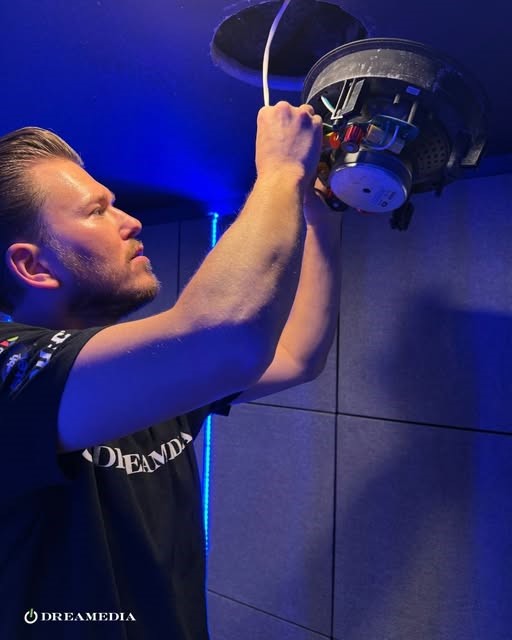
Look behind most DIY home theaters, and you’ll probably see the same thing. Somewhere someone decided they needed a console, so they added one. Somewhere else they realized they wanted a streaming device so they added that, too. Before you know it, you have wires all over the place and no idea what goes to what.
Professionals anticipate needing future access. Maybe the receiver will be upgraded. Maybe a gaming console will be added down the road. That’s why they label everything during installation. Sure seems like overkill until you’re pulling your hair out trying to determine which one of five black wires goes to what.
They also aren’t super tight with cables. Just enough slack to allow for equipment to be pulled out from the rack with the service loop hidden behind it. This allows for upgrades and swaps without having to rip everything off the wall. It also prevents swapping your receiver out from being an all-afternoon ordeal on the ground.
Speaker wires are treated no differently. Those loose strands sticking out really make an otherwise nicely built setup look bad. That’s partially why so many installers reach for something like the Planet Waves Banana Plug. Connections stay clean, wires are held tight, and now the back of your receiver looks as nice as the front of your room.
Why Better Power Management Means Better Cable Management
If you’ve ever moved your entertainment cabinet away from the wall to tackle those cables, you’ve likely discovered the true culprit behind the chaos. There’s almost always an overloaded power strip hiding in there. A handful of unsightly power adapters. Maybe even an extension cord because one cable wasn’t long enough.
Yes, those cables are part of the problem. But the issue often begins with your power outlets. When all your gear, including your receiver, gaming console, streaming media player, and more, is drawing power from one centralized location, life is just easier. Cable runs look nicer, plugs are easier to identify, and adding new devices is way less hair-pulling.
Entertainment systems with multiple components can benefit from power management devices like Furman’s IT-REF 20i Discrete Symmetrical Power Filter, which brings power connections into one place. These devices reduce not only the risk of damaging your equipment, but also the adapter and power-strip clutter that can quickly accumulate behind your equipment rack.
When Does Wireless Technology Make Sense for Cable Management?
Wireless tech can absolutely help with cable management, but it doesn’t magically make cables vanish into thin air. That’s half the battle that people tend to forget. A wireless subwoofer won’t have that long cable running across your room for the signal cable. Wireless surround speakers allow you placement options you normally wouldn’t have. Streaming devices and smart home controllers offer relief as well by reducing how many wires are piled up inside your media cabinet.
However, “wireless” generally still equates to power. Every speaker, subwoofer, and streaming device needs power from somewhere. The Sonos Amp, Beam & PLAY: 5 Long Power Cable were made for that exact reason. Just because the signal is wireless doesn’t mean you don’t need a clean path for the power cable. Wireless makes the most impact on cable management when you eliminate the cables you can see, not create new power cord headaches.
What Cable Management Mistakes Make a Home Theater Look Cheap?
Here are some cable management fails that might be causing your home theater to look cheap. The good news is these are easily fixed!
| Mistake | Why It Hurts the Setup | What to Do Instead |
| Excess cable slack | Creates visible clutter | Use properly sized cables and bundle any necessary slack neatly behind furniture |
| Tangled speaker wires | Looks unprofessional | Route speaker wires along planned paths and secure them with cable ties or sleeves |
| Unlabelled cables | Difficult maintenance | Label both ends of every cable before installation |
| Visible power strips | Distracting appearance | Mount or conceal power strips inside a media cabinet or behind furniture |
| Mixed cable bundles | Creates confusion | Separate power, speaker, and signal cables into organized groups |
| Poor ventilation | Equipment overheating | Leave airflow around receivers, amplifiers, and power management equipment |
Conclusion
If you’ve made it this far, you may have noticed there is a theme here. The most expensive systems aren’t necessarily the ones with the most screens/speakers/etc. They’re the systems that feel cleaner. It starts with auditing your cables. Then organizing better. Routing cables intelligently. Managing your power. Perhaps even utilizing wireless devices where it makes sense to.
The average viewer won’t look at your install and pick these things out. But they will notice. The room just feels less stressed. Less cluttered. More intentional. When done properly, cable management really has less to do with cables and everything to do with removing distractions so your film, song, or game can shine.
FAQ
How do professionals hide home theater cables?
Ideally, cable routes are determined prior to installation. Afterward, professionals make use of cable raceways, cable concealment furniture, tidy bundles of cables and equipment making use of hidden power distribution. Using these techniques, you can achieve professional looking installations with hidden wiring that can be accessed for future upgrades.
Should power cables be run separately from signal cables?
Yes! Separating power cables from your signal cables will not only make your wiring neater but can help prevent the monster of cable spaghetti hiding behind your equipment rack. Separation will also greatly help you if you ever need to troubleshoot an issue.
What is the simplest method to conceal TV wires without cutting into the walls?
Paintable cable raceways are going to be your best bet for ease. They mount to the wall, hide multiple cables and can be painted to match your wall.
Does wireless home theater equipment help with cable management?
Wireless tech can allow you to clean things up. Wireless subwoofer receivers, surround speakers, and even streaming devices can eliminate a lot of wires. Keep in mind 99% of wireless speakers will still need to plugged into the wall so cord management will still play a factor.
What Furniture is best for hiding home theater wires?
Any media console or AV cabinets that have rear access panels, cable-routing channels, and power-management sections are ideal. These allow you to bundle cables neatly while maintaining access to your gear.