Streaming is similar to renting, which is fine for a show you’ll never watch again. But what about the movies you watch every year? You’re paying to stream those as well. So people who love movies have started asking a simple question: why can’t we just own them?
That question sits at the heart of owning your movies in a streaming world. To answer it, we will weigh what you give up when you stream and what you gain when you buy your movies. Then we’ll see how Kaleidescape keeps films in-house, what happens to your discs, and who it suits.
Why Does Streaming Work for Music but Fall Short for Movies?
Streaming music generally needs far less bandwidth than a high-bitrate 4K movie with lossless multichannel audio. Some music services do offer lossless playback. However, movie streaming services typically use more heavily compressed video and audio. That way, they can deliver content efficiently to millions of homes.
Here are some numbers to show how much lower. Kaleidescape publishes average bitrates of about 15 megabits per second (Mbps) for mainstream 4K streaming. By comparison, its own 4K movie downloads average about 80 Mbps. Its 4K Cinematic and 8K titles reach up to around 120 Mbps. Keep in mind these are broad averages, and actual bitrates vary by title and format.
Bitrate is the amount of data used to display one second of video. When video is compressed more aggressively, some fine image detail can get lost. Depending on the encoding and scene, you may see softer textures or banding in gradients. You may also notice compression artifacts in dark or fast-moving scenes.
Audio quality drops too. On supported titles, Kaleidescape delivers Dolby Atmos soundtracks in lossless Dolby TrueHD. Meanwhile, most streaming services that offer Dolby Atmos use the more compressed Dolby Digital Plus format. The difference matters most in a well-designed theater with capable processing and speakers. Lossless means that your surround processor can play the audio back exactly how it was captured in the studio. Lossy means that some of that audio isn’t making it to your home.
Why Your Screen Size Makes the Gap Easier to See

Big screens will show all of the shortcuts the encoder took. Maybe your 65-inch screen will allow for a softer sky or more blocky nighttime scenes. But when that stream is blown up to a 120-inch screen, you will notice these issues more. For instance, banding can appear as visible stripes where a sunset should transition smoothly.
Sound works the same way. If you have a well-designed room with in-ceiling speakers, you will hear more details. This exposes what was left out of a compressed audio track. As noted in our Kaleidescape review, a well-constructed room that still doesn’t sound right typically indicates a weak source.
What Do You Really Own When You Buy a Movie Online?
When you buy a movie from a digital storefront, you generally get a license to access it under that platform’s terms. You don’t get ownership of the film’s copyright or an unrestricted copy. As a result, your ability to access or redownload it depends on the platform’s licensing agreements and policies.
California has now written this distinction into law. Governor Gavin Newsom signed AB 2426 on September 24, 2024, and it took effect on January 1, 2025. The law requires certain sellers of digital goods to disclose when a sale gives you a license rather than ownership. As a result, it highlights a key difference between buying access to digital content and owning a physical copy.
PlayStation users experienced this first-hand in 2022. Sony told users in Germany and Austria that it would remove StudioCanal movies and shows from their libraries. The reason was a change in Sony’s licensing arrangements with content providers.
Streaming services face something similar. In 2023, Disney recorded a large content impairment charge as it restructured its streaming business. As part of that change, it removed titles from Disney+ and Hulu. Many of those titles were streaming exclusives with no physical release, which left fans with few other ways to watch. The move showed how quickly streaming catalogs can shift. Content can disappear even after viewers have watched or saved it.
Streaming isn’t necessarily providing bad value because of this. A subscription should be thought of as renting access to content and priced as such. The problem occurs when collectors start treating their cloud-based libraries as if they were a shelf in their house.
How the Main Ways of Watching Compare
| Feature | Streaming subscription | Digital storefront purchase | 4K Blu-ray disc | Kaleidescape download |
| Where the movie lives | Provider’s servers | Usually provider-managed library; some platforms allow downloads | Physical disc | Local player or movie server storage |
| Picture and sound | Varies; typically compressed | Varies by platform and title | High-bitrate video and lossless audio on supported titles | High-bitrate downloads and lossless audio on supported titles |
| Offline playback | Some apps support downloads | Depends on platform and device | Yes | Yes, after downloading |
| Long-term access | Depends on subscription and catalog | Depends on license and storefront | Physical copy remains playable if undamaged and compatible | Purchased titles can be redownloaded; local storage behavior depends on system configuration |
How Does Kaleidescape Change What Owning Your Movies Means?
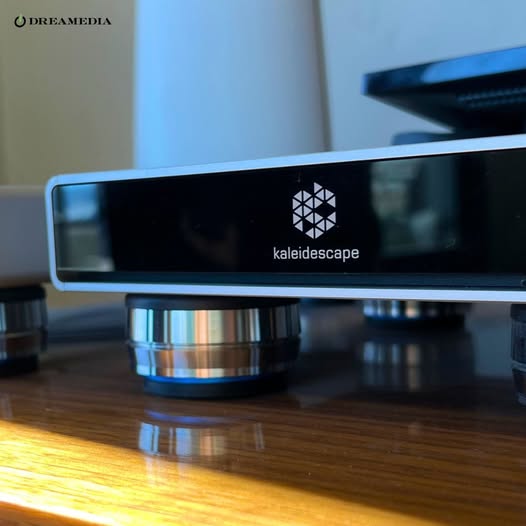
Kaleidescape redefines what owning movies means. It downloads your purchased movies to local storage, so playback doesn’t depend on a continuous internet connection. Once a movie finishes downloading, you can watch it even if your internet goes down. So a hurricane that fries your fiber line won’t cancel movie night.
The cloud still plays a role, but it acts more like insurance against data loss rather than serving as a digital gatekeeper. Kaleidescape keeps your purchase history in your account. As a result, you can download eligible titles again if you delete them or replace your storage. A single account can also activate up to five Kaleidescape systems. That means you can enjoy your library across multiple homes, subject to title-specific restrictions. Eligible preordered titles can become available for download around their official home release date. However, actual availability depends on the studio’s release schedule and the Movie Store.
If there is any downside, it’s that Kaleidescape builds its downloads for playback within its own ecosystem. You can’t freely copy them or move them to ordinary media players or laptops. If you want to watch a title on another device, you’ll need a separate compatible viewing option.
On the plus side, Kaleidescape purchases still come with licensing terms. Even so, the system gives you something most streaming services don’t. You get a locally stored, high-quality movie library that plays without a constant internet connection.
What Happens to the Discs You Already Own?
You don’t have to build your library overnight. Kaleidescape’s Disc to Digital program lets you catalog eligible DVDs and standard Blu-ray discs. You just connect a compatible external USB Blu-ray drive to a supported Strato player. Once the system recognizes a disc, qualifying titles may get discounted digital offers through the Movie Store. Keep in mind the process doesn’t rip or copy the movie from the disc. It also doesn’t support 4K Ultra HD Blu-ray discs.
For instance, the Strato K supports Disc to Digital cataloging through a compatible external USB Blu-ray drive. Once the player recognizes a qualifying disc, you can check the Movie Store for any discounted offer.
Still, an afternoon with a disc drive can help turn a shelf of plastic cases into an easily accessible digital collection. Plus, most collectors keep their ultra-rare discs anyway. Out-of-print editions don’t always come with a digital copy, so it’s wise to hang onto them.
Who Should Build a Home Theater Around Owning Their Movies?
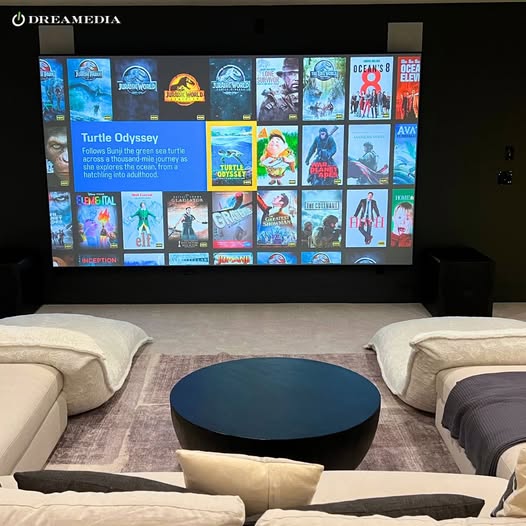
Kaleidescape makes the most sense for movie lovers who value high-quality playback and revisit favorite films. Do you watch the same 30 or 40 movies every year? Then each of those films deserves its own spot on your shelf. Kaleidescape also works best when you have a theater that can reveal the difference. That’s especially true in dedicated rooms with large screens and capable surround systems.
However, it doesn’t make as much sense if your family mostly watches television shows, live sporting events, or Netflix originals. Those viewers will gravitate toward the comfort of using streaming apps. The same goes for that bedroom TV you just use as background noise.
Our view is that most serious rooms are best served by both. Use streaming for TV shows and new discoveries, and a Kaleidescape library for movies that are worth it.
| Your viewing habit | The better fit |
| You rewatch favorite films often | A Kaleidescape library |
| You mostly watch series and live sports | Streaming subscriptions |
| You have a dedicated theater with a projector | Kaleidescape for film, streaming for TV |
| Your internet is slow or unreliable | Kaleidescape, since playback is local |
| You watch casually on a smaller living room TV | Streaming is usually enough |
How Should You Size a Kaleidescape System for Your Library?
First, decide how many movies you want readily available at any given time. Your storage needs will shape the rest of your setup. For a small collection that changes frequently, a standalone player may be the better choice. The Kaleidescape Strato V can store about 10 downloaded 4K movies on its built-in solid-state drive.
The Strato K stores roughly 7 movies in 4K Cinematic or about 10 in standard 4K. Both players can also free up storage automatically. Watched movies in the Played collection become candidates for deletion after at least 48 hours there. The player then removes them as needed to make room for new downloads. However, any titles you add to Favorites stay protected.
If you want a permanent collection, you will need to add a server into the mix. Kaleidescape servers store movies centrally and feed players all around your home. The 120TB Terra Prime can store about 1,750 standard 4K movies. Actual capacity depends on the movie files and formats in your collection. For more modest libraries, Kaleidescape also offers smaller Terra Prime configurations.
Plan your network ahead of time, long before the drywall goes up. Kaleidescape estimates that Terra Prime SSD models can download a high-bitrate 4K movie in as little as four minutes. HDD configurations can take around eight minutes. To reach these speeds, you’ll need a properly configured network, compatible hardware, and enough internet bandwidth. Running Ethernet cable to your equipment rack is inexpensive when your house is under construction and drastically more expensive afterward. Our renovation cost breakdown explains why incorporating infrastructure into your budget from the start is essential.
Conclusion
Subscriptions are great, and always will be. Especially for television series. But what about movies? The ones you want to watch over and over again? Paying to access films you never truly own just doesn’t have the same appeal when your home theater can call you out on it.
Kaleidescape, on the other hand, keeps your favorite films close. Once your movies download, they live on your Kaleidescape system and play without a continuous internet connection. Your purchased titles also stay available for redownload through your account, subject to the Movie Store’s licensing terms.
Keep the subscription apps for series and exploration, but make sure to give your favorite films a permanent home in the high quality that your theater deserves.
Curious about how a movie library would fit into your theater setup? Book a free consultation, and we’ll help you plan it out.
FAQ
Do You Own the Movies You Buy on Kaleidescape?
Not in the traditional sense. When you buy a movie through the Kaleidescape Movie Store, you get a license to access and play it under Kaleidescape’s terms. The movie then downloads to your local system for playback. If you delete an eligible title or replace your storage, you can download it again.
Can Kaleidescape Play Movies Without Internet?
Yes, Kaleidescape can play movies you have downloaded without an internet connection. You’ll still need internet to purchase or download titles. After that, playback runs locally from your storage.
Can Kaleidescape Stream Netflix or Disney+?
No. Kaleidescape Strato players are dedicated movie players, not general streaming devices. They don’t run apps such as Netflix or Disney+. So you’ll still need a separate streaming device or smart TV for those services.
How Many Movies Can a Kaleidescape System Hold?
A standalone Strato V can store about 10 reference-quality 4K movies. For larger libraries, Kaleidescape Terra Prime servers provide central storage. The 120TB model can hold about 1,750 standard 4K movies, depending on the size and format of each title.